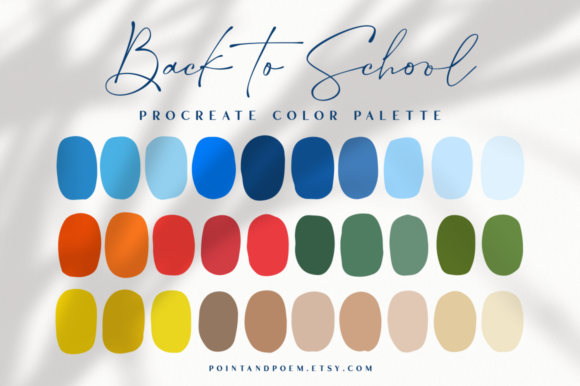
Procreate Color Palette Back to School
Every creative knows the feeling. You have the perfect composition in mind. The linework is crisp. The idea is solid. But when it comes to choosing colors, something stalls. The hues don't quite sing together. The contrast falls flat. The mood you wanted slips away. That gap between vision and execution is exactly where a thoughtful palette becomes indispensable. The Procreate Color Palette Back to School was built to close that gap, not by overwhelming you with hundreds of random swatches, but by offering a hand-picked selection that works harmoniously from the first tap.
More Than a Collection of Swatches
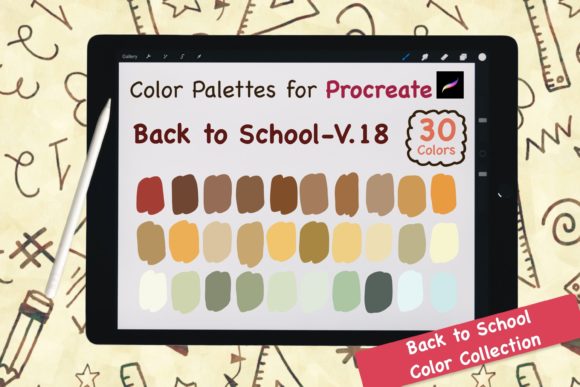
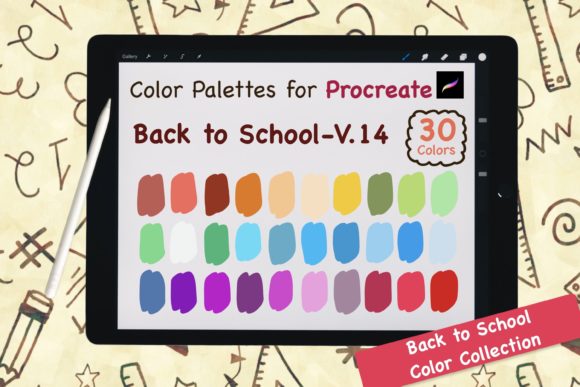
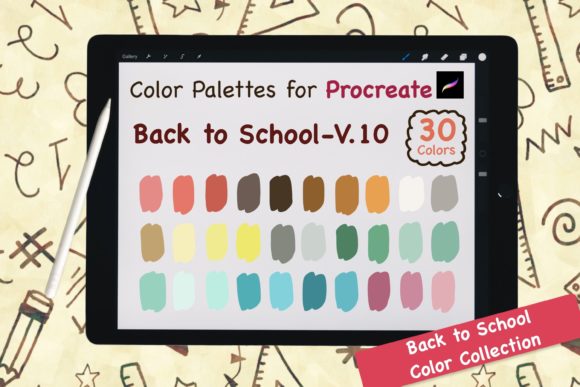
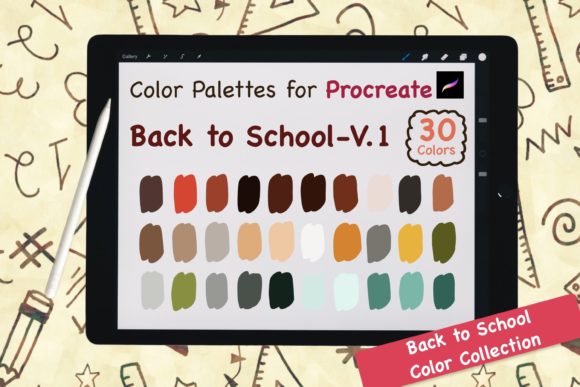
At first glance, you might think a palette is just a set of colors. But the Procreate Color Palette Back to School is better understood as a creative shortcut. It includes one digital .swatches file for Procreate and one JPG reference file showing all the swatches. That simplicity is intentional. You are not buying a color theory course or a complex preset system. You are buying a reliable set of choices that have already been tested for visual cohesion.
The palette was curated with care. Each color was selected to complement the others, which means you can pick any combination and trust that the result will feel intentional. Whether you are illustrating a nostalgic classroom scene, designing social media graphics for a fall campaign, or building a brand identity that needs warmth and approachability, this palette gives you a foundation that saves time and reduces decision fatigue.
What Makes This Palette Stand Out
The strength of the Procreate Color Palette Back to School lies in its restraint. A common mistake among digital artists is hoarding palettes with dozens of colors, most of which never get used. This palette focuses on quality over quantity. The colors are versatile enough for a wide range of subjects but specific enough to give your work a distinct mood.
- Cohesion by design – Every swatch relates to the others, so you can mix and match without worrying about clashing tones.
- Immediate import – Click the .swatches file after purchase, and Procreate imports the palette automatically. No manual hex entry, no frustration.
- Visual reference included – The JPG file lets you see all colors at a glance, which is helpful when you are brainstorming offline or prefer a quick visual check.
- Hand-picked with purpose – These are not algorithmically generated colors. They were chosen by someone who understands how digital pigments behave on screen and in print.
This combination makes the palette suitable for anyone from seasoned illustrators to entrepreneurs who just want their Instagram stories to look polished without spending hours adjusting saturation.
Personal Creative Projects
If you create art for yourself, the Procreate Color Palette Back to School removes the friction of starting a new piece. Instead of deliberating over which blue works with which brown, you open the palette and begin painting. I have used it for a series of autumn-themed illustrations, and the colors translated well across both warm indoor lighting and cooler outdoor scenes. The palette handles natural subjects like falling leaves, knit sweaters, and wooden desks with ease.
Professional Client Work
Freelancers and design agencies often work under tight deadlines. When you have to deliver a set of social media templates, a brand board, or a presentation deck, every minute counts. The Procreate Color Palette Back to School can serve as a consistent color system across multiple assets. Because the palette is cohesive, your client deliverables maintain a uniform look without you having to manually match hues across files. That kind of reliability builds trust with clients and reduces revision rounds.
Educational and Tutorial Content
Teachers, workshop facilitators, and online course creators frequently need visuals that are clear, warm, and engaging. The palette is named "Back to School" for a reason. Its tones evoke a sense of familiarity, comfort, and focus. If you are creating lesson materials, study guides, or instructional videos, these colors help maintain viewer attention without feeling distracting. The palette works especially well for typography overlays, diagram highlights, and background fills.
Marketing and Social Media Branding
Entrepreneurs and marketers understand that color consistency across platforms strengthens brand recognition. The Procreate Color Palette Back to School can be used to design quote cards, product mockups, email headers, and blog featured images. Because the palette is already balanced, you do not need to second-guess whether your call-to-action button clashes with the background. For small business owners who handle their own design, this is a practical tool that elevates visual communication without requiring a background in color theory.
Realistic Benefits You Can Expect
Let's talk about what this palette actually does for your workflow, beyond the obvious convenience.
- Faster decision-making – With fewer colors to choose from, you spend less time browsing and more time creating. The palette acts as a constraint that actually boosts creativity.
- Improved visual harmony – Because each color was selected to work with the others, your finished pieces will look more polished. This is especially important if you share your work publicly or with clients.
- Reduced eye strain – The palette avoids overly saturated neons or harsh contrasts. The tones are easy on the eyes for long working sessions, which matters if you spend hours in Procreate.
- Consistent output – Using the same palette across multiple projects or pieces creates a natural visual thread. This is useful for portfolio coherence, series work, or brand storytelling.
These benefits are not theoretical. They come from the way the palette is structured and the intent behind each swatch. When you import the .swatches file, the colors appear in Procreate's palette panel in a logical order. You can swipe through them quickly, pick a dominant color, then select supporting tones without hunting through a long list.
How to Get the Most Out of It
Using the Procreate Color Palette Back to School effectively is straightforward, but a few habits can make a real difference in your results.
- Start with a single anchor color – Choose the one swatch that best represents the mood you want, then build around it. The palette is designed so that every color works as an anchor.
- Layer gradually – Begin with larger areas of mid-tone colors, then add highlights and shadows using the lighter and darker swatches. This prevents your piece from feeling flat.
- Use the JPG file as a brainstorming tool – Before you open Procreate, look at the JPG reference and think about which combinations fit your subject. This saves even more time.
- Combine with your custom brushes – The palette is brush-agnostic. It works equally well with texture brushes, ink brushes, and smooth rendering tools.
One recommendation I give to fellow creators is to treat this palette as a starting point rather than a rigid set. You can always tweak a swatch by adjusting its saturation or brightness if a particular project calls for it. The value of the palette is that it gives you a reliable base so you can experiment from a position of strength rather than guesswork.
Practical Considerations Before You Download
The purchase gives you immediate access to the files. After you complete the transaction, you can download the .swatches file and the JPG reference. To import the palette into Procreate, simply tap the .swatches file on your iPad. Procreate will recognize the format and add the palette to your library automatically. There is no need to manually input hex codes or adjust settings.
If you are new to Procreate, this process takes less than a minute. If you are a seasoned user, it is even faster. The palette sits in your color panel ready for use on any canvas, any layer, any brush. You can also duplicate the palette and rename it if you want to create variations for different projects.
A word of caution: palettes are tools, not solutions. The Procreate Color Palette Back to School will not automatically make you a better artist or designer. What it will do is remove a common obstacle that slows down creative work. When you eliminate the friction of color selection, you free up mental energy for composition, storytelling, and refinement. That is where real growth happens.
Who Will Benefit Most
This palette is not limited to any single type of creator. I have seen it used effectively by:
- Digital illustrators working on personal sketchbooks or client commissions
- Surface pattern designers creating seamless repeats for fabric or stationery
- Social media managers producing consistent branded graphics week after week
- Educators building visual aids that need to be clear and warm
- Hobbyists who want their digital art to feel more cohesive without studying color theory
The common thread is a desire for better color coordination without the overhead of building a palette from scratch. If that sounds like you, the Procreate Color Palette Back to School is a practical addition to your creative toolkit.
Final Thoughts
Color is one of the most powerful elements in visual art, but it does not have to be a source of stress. The Procreate Color Palette Back to School gives you a curated, ready-to-use set of swatches that bring warmth, balance, and intention to your work. Download the .swatches file, import it into Procreate, and start creating something that feels right from the first brushstroke. Happy creating.